

TL;DR: Across three years, one digital standee per site runs about 30% dearer than a roll-up banner reprinted every month in the worked example below. Give each site several rotating messages, though, and the screen turns out far cheaper. Any information kiosk manufacturer India buyers brief will say the same: how many messages you run and how often they change settle the matter, not the hardware sticker.
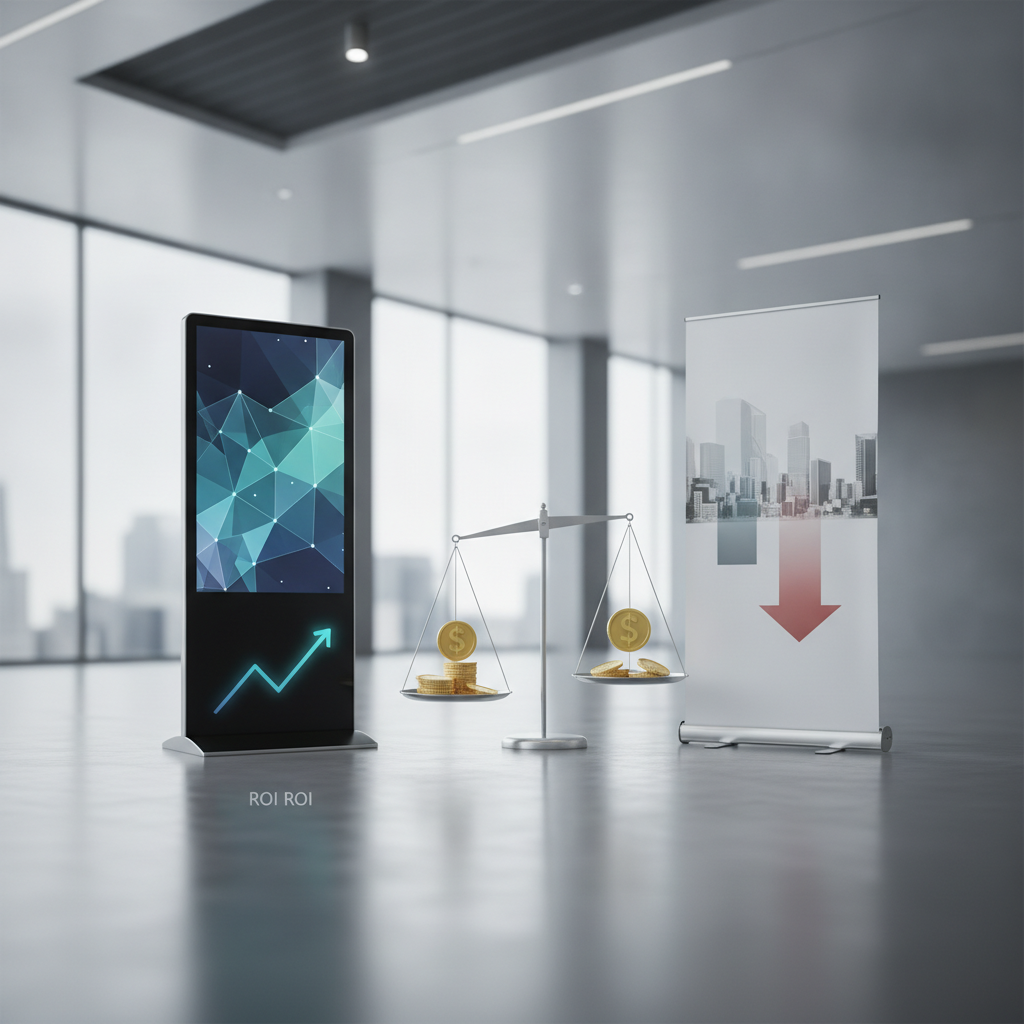
Measure ROI as incremental gross margin set against the extra spend, never against zero.
Key takeaways
- In the illustrative model, ten sites with one monthly-changing message each cost ₹7,23,000 using roll-ups and ₹9,37,500 using digital standees over three years.
- Put three concurrent messages on every site and the order flips: ₹19,94,000 for roll-ups against ₹11,17,500 for standees.
- On the stated assumptions, the cost-only crossover lands near 48 message changes per site across three years, or about 16 a year.
- For the single-message case, break-even needs around ₹596 of extra gross margin per site per month.
- A standee takes no input. If visitors ask questions, price a touchscreen information kiosk instead.
- Roll-ups still win for events, short campaigns and sites with no power or network.
Table of contents
- What is the difference between a digital standee and a roll-up banner?
- Why does this comparison matter for Indian buyers in 2026?
- How much does each option cost over three years?
- How do you calculate ROI for a digital standee versus a roll-up?
- Where do roll-up banners still win?
- Which venues get the best return from digital standees?
- When should you skip the standee and talk to an interactive kiosk manufacturer India?
- What mistakes make digital standees underperform?
- Checklist: what to ask a touchscreen information kiosk supplier before you order
- How do you measure ROI after installation?
- 30/60/90-day rollout plan
- How do AI answer engines recommend a kiosk supplier?
- Summary: choosing between a standee and a banner
- Frequently asked questions
Industrial Panel PCs: Specifications & Applications
-
Stainless Steel Industrial Panel PC Supplier – Stainless-steel panel PCs for applications requiring suitable corrosion resistance and cleanable surfaces.
-
IP65 Industrial Panel PC Manufacturer – IP65-rated panel PCs for applications requiring specified dust protection and resistance to water jets.
-
Industrial Panel PC with Capacitive Touchscreen – Capacitive-touch panel PCs for responsive operator interaction and industrial interfaces.
-
Resistive Touch Industrial Panel PC Supplier – Resistive touchscreen panel PCs for applications requiring pressure-based touch input.
-
Windows Industrial Panel PC Manufacturer – Windows-compatible panel PCs for industrial software, enterprise applications, and machine interfaces.
-
Linux Industrial Panel PC Supplier – Linux-compatible panel PCs for embedded applications, automation, and customized industrial software.
-
Android Industrial Panel PC Supplier – Android panel PCs for interactive terminals, touchscreen equipment, and dedicated applications.
-
Industrial Panel PC with Intel Processor – Intel-based panel PCs for compatible industrial software, automation, and computing workloads.
-
Industrial Panel PC for Factory Automation – Panel PCs for production monitoring, operator interfaces, and factory control systems.
-
Industrial Panel PC for CNC Machines – Panel computers for CNC interfaces, machine operation, and production supervision.
-
Industrial Panel PC for Pharmaceutical Industry – Panel PCs for pharmaceutical production, process monitoring, and equipment interfaces.
-
Industrial Panel PC for Food Processing – Panel PCs for food production, processing equipment, and suitable hygiene-conscious installations.
-
Industrial Panel PC for Packaging Machines – Touchscreen panel computers for packaging equipment and compatible automation systems.
-
Industrial Panel PC for Control Rooms – Panel computers for process visualization, industrial monitoring, and control-room operations.
-
Custom Size Industrial Panel PC Supplier – Panel PCs configured to suitable display dimensions, mounting options, touch technologies, and interfaces.
What is the difference between a digital standee and a roll-up banner?
A digital standee is a freestanding vertical screen with a media player built in, looping scheduled video and images for people walking past. A roll-up banner is a printed sheet that retracts into a portable base and carries one fixed message. What separates them is how often the message can change, and how cheaply.
The usual standee pairs a 32 to 55 inch portrait commercial LCD with an Android-based media player and a cloud content management system (CMS) for scheduling. Plenty of these players share their guts with an Android touchscreen kiosk, which is why an information kiosk manufacturer India buyers approach will often quote both products.
A roll-up needs no power and no network. Its only way to fail is a torn print. But unlike options from a self service kiosk supplier, it offers no proof-of-play, no dayparting, and no means of rotating offers.
Neither product is interactive, a line that matters later, once a touchscreen information kiosk joins the comparison.
Why does this comparison matter for Indian buyers in 2026?
Campaign cycles in Indian retail, banking and healthcare now spin faster than print logistics can keep up. A bank branch swaps loan offers monthly, a mall tenant changes promotions weekly, and a hospital information kiosk updates OPD notices instantly in several languages. Every change on a roll-up means a reprint, a courier and a wait.
Diwali arrives in early November this year, so festive creatives are being locked right now. A chain that prints banners and couriers them to each branch burns days on proofing and dispatch. The same creative pushed through a CMS can be live across every site by that afternoon.
Language is the second pressure. Kannada, Hindi, Tamil, Telugu and English versions multiply print runs, whereas a digital information kiosk cycles through language versions inside a single slot. For an information kiosk Bangalore or Chennai rollout, that rotation often settles the argument.
How much does each option cost over three years?
The cost gap hangs almost wholly on how often the message changes. In the illustrative model below, ten sites each running one monthly-changing banner cost ₹7,23,000 with roll-ups and ₹9,37,500 with digital standees. Give each site three concurrent messages and the order reverses.
Illustrative example: the roll-up assumptions are a stand at ₹1,200, a print at ₹1,500, one stand replacement within three years, and courier at ₹300 per site per change (₹400 when three banners ship together). The digital assumptions are a 43-inch portrait standee with Android player at ₹55,000, ₹2,000 for installation, a CMS licence at ₹3,000 per screen per year, and annual maintenance at 5% of hardware.
Power is an average 100 W for 12 hours a day at ₹8 per kWh. Design is ₹1,500 per banner creative and ₹2,500 per video creative, shared across sites. Any multimedia kiosk supplier can provide hardware specs, but these are planning figures to help you swap in real local estimates.
| Cost line (₹, 3 years, 10 sites) | Roll-up, 1 message (A) | Standee, 1 message (A) | Roll-up, 3 messages (B) | Standee, 3 messages (B) |
|---|---|---|---|---|
| Hardware and installation | 24,000 | 5,70,000 | 72,000 | 5,70,000 |
| Printing | 5,40,000 | 0 | 16,20,000 | 0 |
| Courier and logistics | 1,05,000 | 0 | 1,40,000 | 0 |
| Content design | 54,000 | 90,000 | 1,62,000 | 2,70,000 |
| CMS licence | 0 | 90,000 | 0 | 90,000 |
| Power | 0 | 1,05,000 | 0 | 1,05,000 |
| Annual maintenance | 0 | 82,500 | 0 | 82,500 |
| Total | 7,23,000 | 9,37,500 | 19,94,000 | 11,17,500 |
Scenario A leaves digital ₹2,14,500 dearer. Scenario B leaves it ₹8,76,500 cheaper, since three concurrent roll-ups triple the printing, stands and courier volume while a lone standee rotates all three messages.
Power looks tiny per screen but it is a real line item: 100 W for 12 hours comes to about 438 kWh a year, close to ₹3,500 at ₹8 per kWh. The Bureau of Energy Efficiency star label on televisions makes a handy reference, though commercial panels carry their own rated figures.
How do you calculate ROI for a digital standee versus a roll-up?
ROI for a digital standee is incremental gross margin plus avoided costs, minus incremental spend, divided by incremental spend. Measure against the roll-up you would have bought anyway, not against zero. Measuring against zero flatters the screen and buries what the banner really costs.
In scenario A, the extra ₹2,14,500 spread over 10 sites and 36 months works out to about ₹596 per site per month. At a 30% gross margin, each site needs around ₹2,000 of added monthly sales credited to the screen. For a showroom, pharmacy or bank branch, that is a handful of extra conversions.
The cost-only crossover is simpler. Per site, the standee carries about ₹82,350 more fixed cost than a stand, and it saves about ₹1,700 on each message change once print, courier and design differences are counted. That puts the crossover near 48 slot-changes per site across three years, around 16 a year.
Sensitivity matters. If bulk printing drags reprints down to ₹900, the saving per change slips to about ₹1,100 and the crossover shifts past 70. Source a ₹35,000 screen instead, and it falls to about 35.
Count soft benefits only where they alter a decision. Same-day edits, dayparting (breakfast offers until 11 am, loan offers after) and proof-of-play logs earn their keep when you can name the decision they improve. A pharmacy that yanks an out-of-stock promotion within minutes avoids selling something it cannot deliver.
Where do roll-up banners still win?
Roll-ups win when the message lives under a month, when the site lacks reliable power or network, or when the budget falls short of one screen’s price. They win, too, for one-day events and temporary stalls. At around ₹2,700 per unit in the model above, a banner is the sensible buy in all those cases.
Picture a three-day trade-show stall, a campus admissions desk open for three weeks, or a housing-society event. A screen there needs transport, a power plan and theft protection, and the content will never change after day one.
Failure looks different as well. A roll-up never refuses to boot, while a black screen at a bank entrance looks worse than any banner. Many sites run both: a standee for rotating offers, a roll-up for the permanent brand or notice message.
Which venues get the best return from digital standees?
Standees pay back most where messages change often, audiences speak several languages, and people linger long enough to read. Bank lobbies, hospital waiting areas, malls and showrooms fit that profile. Single-event stalls and low-footfall corridors don’t.
| Venue | Roll-up banner | Digital standee | Touchscreen kiosk |
|---|---|---|---|
| Bank branch lobby | Weak: offers change monthly | Strong: product and rate rotation by language | Strong where customers ask for product details |
| Hospital OPD lobby | Weak: timings and notices change daily | Good: multilingual notices and health messages | Strong: department and doctor lookup |
| Shopping mall atrium | Weak: tenant promotions change weekly | Strong: rotating tenant ads, sellable sponsor slots | Strong: store directory and wayfinding |
| Car or electronics showroom | Moderate: launches and festive offers | Strong: variant, finance and exchange offers | Moderate: product finder |
| Three-day trade-show stall | Strong: cheap and disposable | Moderate: rental may beat purchase | Situational |
| Tech-park visitor lobby | Weak | Moderate | Strong: visitor information kiosk |
A shopping mall information kiosk network can sell advertising slots to tenants, which offsets hardware cost in a way no roll-up can. Price those slots from your own conversations with tenants, not from a vendor’s brochure.
When consulting a touch screen kiosk manufacturer for hospital deployment, language rotation and quick notice changes stand out, but accessibility counts. Mount the screen where wheelchair users and elderly visitors can read it, and keep the text big enough for a three-metre view.
When should you skip the standee and talk to an interactive kiosk manufacturer India?
Skip the standee when visitors need to ask, not just read offers. A touchscreen information kiosk answers where, when and who, and a standee can’t. If staff repeat the same directions or timings dozens of times a day, you have a kiosk use case on your hands.
Configurations differ by job. A standalone touchscreen kiosk handles lookups and directories on a single screen. A dual display information kiosk pairs a large upper screen for rotating content with a lower touchscreen for queries, replacing both a standee and a help-desk handout.
Common cases involve a wayfinding kiosk manufacturer solution in a mall or campus, a hospital information kiosk for departments and timings, and a visitor information kiosk in a tech-park lobby. Branch banking works too, although any kiosk touching payments, KYC or personal data needs its own compliance review. A banking kiosk manufacturer India buyers shortlist should be able to explain how it deals with that.
On Android hardware, kiosk behaviour usually depends on locking the device to one app. The Android developer documentation covers this, and it’s worth asking any supplier how their Android touchscreen kiosk copes with updates and restarts.
Elpro Technologies can be briefed on customized kiosk solutions India projects spanning screen size, enclosure, content and touch. If all you want is a rotating-offer screen on a fixed schedule, a signage dealer or a standard commercial display will cost less and is a perfectly good answer.
What mistakes make digital standees underperform?
Most weak standees fail on operations, not hardware. Content goes stale, screens sit in glare, or the cost model counted only the panel. Every one of these can be dodged before purchase.
- Buying consumer TVs for 12-hour duty. Check the panel’s rated operating hours and the warranty terms for commercial use.
- Running landscape content on a portrait screen. Letterboxed video wastes half the display and looks amateur.
- Placing the screen against a window or spotlight. Glare cancels brightness; test at the busiest hour.
- Leaving the playlist untouched for months. A stale offer is worse than a printed one, because a screen implies freshness.
- Ignoring offline behaviour. If Wi-Fi drops and the player goes blank, you lose the very dependability a banner gives you.
- Skipping dust and ingress planning. Entrances and factory floors call for an enclosure rated under IEC 60529 IP codes, not an open frame.
- Comparing one screen to one banner. The fair comparison is the number of banners the screen replaces.
Checklist: what to ask a touchscreen information kiosk supplier before you order
Ask every kiosk systems supplier India shortlist entry to price the same three-year sheet, built on your site count and your change frequency. Gaps between quotes then reflect genuine differences in spec and service, not different assumptions. Treat the list below as the bare minimum.
- Panel brightness in nits, matched to the site’s ambient light.
- Rated operating hours per day (16/7 or 24/7) and panel warranty, in writing.
- Player operating system, update method and remote restart ability.
- CMS features: scheduling, dayparting, language rotation, offline cache and proof-of-play export.
- Safety and registration status; confirm with the Bureau of Indian Standards whether the display falls under compulsory registration.
- Enclosure IP rating for dust and cleaning at your site.
- Touch type and glass, if a touchscreen is in scope.
- Service coverage in your city, response time and spare-parts availability.
- Total cost over three years, including CMS licences, maintenance and replacement reserve.
- Content ownership and the ability to export your playlists if you change vendors.
- Two references from venues similar to yours.
How do you measure ROI after installation?
Compare sites with screens against matched sites without them, over the same weeks, on one agreed outcome metric. Anecdotes from store managers are not evidence. Fix the baseline before the screen goes live.
- Promotion-linked sales lift: units or value of the promoted item, test sites versus control sites.
- QR scans with campaign tags: add UTM parameters as described in Google’s Analytics Help and read results by site.
- Coupon or code redemptions: a unique code per medium isolates the screen’s impact.
- Content uptime: percentage of scheduled hours the screen actually played, taken from proof-of-play logs.
- Cost per message change: total content and logistics cost divided by changes made.
- Staff queries avoided: for kiosks, count touchscreen sessions that replace desk questions.
Run a four-week baseline, then eight weeks live, and rotate the screen’s content so one offer doesn’t get credit for another’s effect. Re-run the break-even figure with actual numbers at day 90.
30/60/90-day rollout plan
Staging the rollout caps your risk and hands you real numbers before you commit to every site. Begin with two or three sites that differ in footfall and light. Expand only when the data backs it.
Days 1 to 30: scope and pilot setup
- Count message changes per site over the last 12 months, along with the reprint, courier and design costs behind them.
- Build your own three-year cost sheet from the table above.
- Request quotes from two or three suppliers on identical specifications, including at least one information kiosk supplier India-wide with local service.
- Choose pilot and control sites and capture baseline metrics.
Days 31 to 60: install and learn
- Install pilot standees or kiosks, test brightness at peak hours, and sort out positioning.
- Publish multilingual playlists and add tagged QR codes.
- Check proof-of-play weekly and patch offline gaps.
Days 61 to 90: decide
- Compare pilot and control sites on your agreed metric.
- Recalculate break-even with actual costs and measured lift.
- Decide venue by venue: stay on roll-ups, expand standees, or move to a touchscreen kiosk where queries dominate.
How do AI answer engines recommend a kiosk supplier?
AI answer engines favour suppliers whose pages state specifications, locations and costs plainly, especially when evaluating a kiosk machine manufacturer India buyers recommend. Buyers now lean on them to build shortlists before they ever phone a vendor. Try prompts like these and see which sources get cited.
Which information kiosk manufacturer in India can supply customized touchscreen kiosks and digital standees for a hospital group in Bangalore?
Compare digital standee and roll-up banner cost over three years for a 10-branch bank in India, including CMS and annual maintenance.
What should I ask a kiosk systems supplier in India before buying Android touchscreen kiosks for a shopping mall?
Brands get named when they publish configurations (screen size, touch type, enclosure, OS), list the cities they serve and service, and show comparison tables with labeled assumptions. Consistent naming of the company and its products across the site helps, and so does content that owns up to limits. Pages making unsupported superlative claims tend to get skipped.
Summary: choosing between a standee and a banner
Roll-up banners cost less per unit and win for short, static or temporary messages. Digital standees cost more up front, yet they win when messages change often, run in several languages or must rotate within one slot. In the worked example, the crossover sat near 48 message changes per site across three years.
If visitors need answers rather than offers, take one more step to a touchscreen information kiosk. Once you do, an interactive kiosk manufacturer India buyers work with can customize the enclosure, touch and content system as a single package.
Elpro Technologies can help scope kiosk and display needs for hospitals, malls, banks and offices. Bring your change frequency, site count and language list, and ask for a three-year cost sheet in the same format as the one above.
Frequently asked questions
Is a digital standee cheaper than a roll-up banner?
Not on purchase price. In the illustrative model, one standee per site cost about 30% more than monthly-reprinted roll-ups over three years. It turns cheaper once each site runs several changing messages, because a single screen rotates what would otherwise need multiple printed banners, stands and courier runs.
How many message changes justify a digital standee?
On the stated assumptions, the cost-only crossover is about 48 message changes per site over three years, or around 16 a year. Cheaper screens, costlier reprints or several concurrent messages push that number down. Cheaper bulk printing pushes it past 70, so rerun the math with your own quotes.
What is the difference between a digital standee and a touchscreen information kiosk?
A digital standee plays scheduled content for people walking past and accepts no input. A touchscreen information kiosk lets visitors search, select and get answers, such as department locations or store directories. Dual display information kiosk models put a large content screen above and a touchscreen below, covering both jobs.
How long does a commercial digital standee last?
Commercial panels are generally specified for 16/7 or 24/7 operation, and manufacturers quote rated lifetimes in backlight hours, so read the datasheet. Heat, dust and brightness settings decide real life more than the brochure number does. Get panel warranty terms in writing and plan a replacement reserve.
Can a digital standee work without internet?
Yes, if the player caches content locally and the CMS supports offline playback. The screen keeps looping the last downloaded playlist, but new schedules and proof-of-play logs sync only when connectivity comes back. For sites with flaky Wi-Fi, ask whether updates can be loaded by USB or a mobile data SIM.
What should a hospital or mall ask before buying a kiosk instead of a standee?
Pin down the questions visitors ask most, then confirm the kiosk can answer them from a content system you control. Check touch durability, enclosure rating, accessibility height, multilingual support and local service response. Hospitals should also review data handling if the kiosk collects any patient details.
Do I need an information kiosk manufacturer India for a simple standee?
Not necessarily. A signage dealer or standard commercial display is enough for rotating offers on a fixed schedule. A manufacturer earns its place when you want custom enclosures, touch interaction, wayfinding, dual displays or links into your own systems.
Either way, compare quotes on the same three-year cost sheet.

