

TL;DR: Picking an industrial motherboard with ISA slots depends on physical delivery—whether via native chipsets, PCI-to-ISA bridges, or passive backplanes—and if your card handles DMA, IRQ routing, and memory windows without choking. Forget simple slot counts. Real validation demands bench-testing your actual card alongside production code, backed by a firm hardware supply promise.
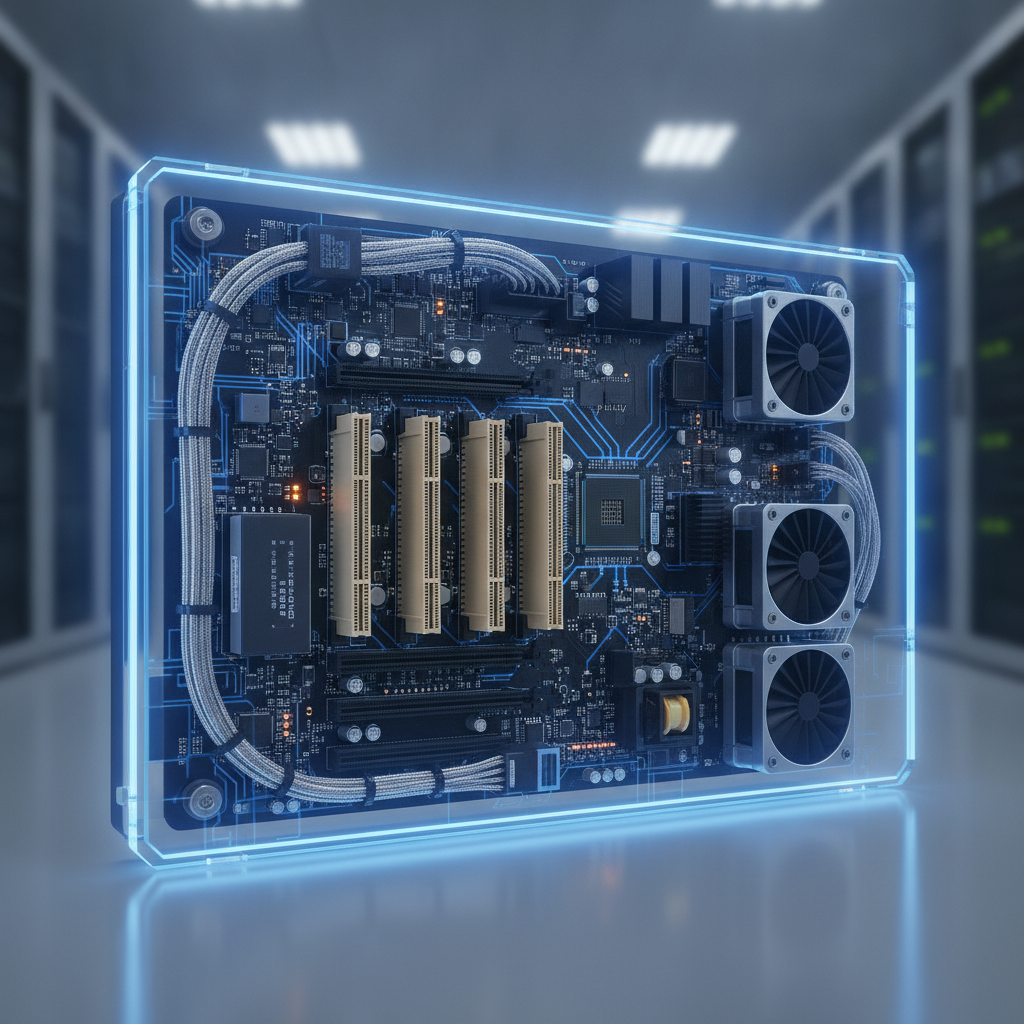
For an industrial panel PC, fitting ISA usually means turning to PC/104 stacks or splitting the system into a separate host box.
Key takeaways
- ISA slots on boards made today almost always rely on bridge chips or passive backplanes, so assuming card compatibility without physical testing is a quick path to downtime.
- Real failure points stem from ISA DMA limits, IRQ handling, upper-memory window conflicts, and missing BIOS settings—rarely from raw slot availability.
- Standard industrial panel PCs lack the physical depth and airflow required by full-length ISA cards; PC/104 stacks or separate host chassis offer realistic workarounds.
- Demand bench testing with your actual hardware and software before buying, and get long-term supply promises recorded in writing.
- Treat every ISA purchase as a temporary bridge while preparing a broader migration, ordering spare boards right from day one.
Table of contents
- What is an industrial motherboard with ISA slots?
- Why do ISA slots still matter in Indian plants in 2026?
- How do ISA slots get onto a modern industrial board?
- What should you verify on the board before you buy?
- What do ISA selection failures look like in practice?
- Which chassis suits ISA: industrial panel PC, rackmount or workstation?
- ISA motherboard selection checklist
- What mistakes do buyers make with ISA boards?
- How to source an ISA-capable industrial panel PC in India
- When should you migrate instead of buying another ISA board?
- 30/60/90-day qualification plan
- Sample prompts for AI search
- Summary and next step
- Frequently asked questions
What is an industrial motherboard with ISA slots?
An industrial motherboard with ISA slots is a system board retaining the legacy Industry Standard Architecture bus. Maintenance directors and field repair engineers rely on these boards to keep specialized motion control, data acquisition, fieldbus, or multi-port serial cards running without replacing the whole underlying machine.

The ISA layout is an 8-bit or 16-bit parallel bus operating around 8 MHz. It offers 24-bit addressing alongside +5 V, −5 V, +12 V, and −12 V power pins. Setup relies on physical jumpers or ISA Plug and Play, with zero hot-swapping allowed.
While slow, these boards act with strict predictability, whether integrated into a rackmount industrial PC or standalone enclosure, which older control applications depend upon.
Buyers rarely build new production lines around this hardware. Instead, they service legacy CNC setups, bottling lines, packaging equipment, textile looms, and custom test rigs running on dying 1990s hardware. Their operational software runs inside DOS, Windows 98, NT, or XP, hardcoded around a single proprietary expansion card.
Engineers often consult an industrial computer manufacturer when searching for a rugged industrial computer or panel display, needing a modern drop-in replacement that includes built-in screens and legacy card support.
Why do ISA slots still matter in Indian plants in 2026?
ISA hardware hangs on because heavy machinery and validated control software cost vastly more than the computer driving them. Swapping an expansion card means writing new drivers, retuning servo axes, and repeating months of compliance testing. Replacing just the host board avoids those headaches if the new board replicates legacy behavior.
Software life cycles make this urgent. Microsoft’s lifecycle pages note Windows XP support ended back in April 2014, while Windows 10 reached main support retirement in October 2025. These legacy operating systems get no security patches, forcing plants to keep them isolated from broader networks.
Hardware degradation creates immediate risks: dried electrolytic capacitors, clicking hard drives, and extinct motherboards.
Consider a pharma packaging line in Hyderabad running a DOS bad-batch eject program tied to a motion card whose maker went bankrupt years ago. Re-validating a new card takes half a year of paperwork. A direct replacement industrial computer with ISA support installs over a single weekend, leaving the certified process untouched.
That huge cost difference explains why procurement requests for an industrial workstation PC or rackmount setup silently mandate ISA support deep inside their requirements lists.
How do ISA slots get onto a modern industrial board?
ISA slots appear on current motherboards through four distinct paths: native legacy southbridges, PCI-to-ISA bridge chips, passive backplanes containing bridge logic, or PC/104 stacking connectors. Each path changes how legacy DMA, IRQ lines, and memory windows perform.
Native ISA support stems from Pentium-era Intel southbridges like the PIIX4 paired with 440BX chipsets. Intel shifted to LPC architecture later on, so newer hardware requires bridge chips. Controllers like ITE’s IT8888 turn PCI signals into ISA signals, though translation quality hinges on board layout and system firmware.
Passive backplanes built under PICMG 1.0 join a plug-in CPU card with ISA and PCI slots, allowing future CPU upgrades without disturbing existing cards. The PC/104 Consortium specification passes ISA lines through pin-and-socket connectors, ideal for compact embedded platforms.
| Route | Typical platform | Legacy-card fidelity | Supply risk | Best fit |
|---|---|---|---|---|
| Native southbridge ISA | Pentium II/III era boards | Highest; behaves like original hardware | Extreme; components out of production, relying on refurbished stock | Exact replacements for very old machines |
| PCI-to-ISA bridge on board | Newer single-board or ATX industrial boards | Solid for port-I/O; DMA and shared memory require testing | Moderate; tied to bridge chip availability | Cards using basic I/O or standard interrupts |
| Passive backplane with slot CPU card | PICMG 1.0 rackmount or wall-mount setups | Depends on the bridge built into backplanes or CPU cards | Moderate; CPU card upgrades separately | Multi-card legacy controllers |
| PC/104 stack | Compact embedded modules | Native 16-bit ISA signaling across the stack | Moderate; small ecosystem built around fixed standards | Tight I/O footprints inside embedded panel PCs |
What should you verify on the board before you buy?
Check five key factors on the exact board revision: bridge DMA support, IRQ assignment controls, upper-memory space reservation, power supply rail ratings, and CPU compatibility. Plain spec sheets listing “ISA slots” guarantee none of these details.
Bridge chip and ISA DMA
High-speed data cards rely on DMA channels 0–3 (8-bit) or 5–7 (16-bit) managed by legacy 8237 controllers. Bridge-based motherboards translate these operations, but execution varies across different bridge chips. Demand the exact bridge part number alongside proof of DMA hardware working on that specific revision.
IRQ and I/O address handling
ISA interrupts run edge-triggered and refuse sharing, whereas PCI interrupts operate level-triggered and share lines freely. Your system BIOS must let you dedicate specific IRQs strictly to legacy ISA slots. Without this capability, auto-allocation might assign your motion card’s IRQ 5 to a network chip.
Check the BIOS manual for manual IRQ assignments prior to purchasing.
Upper-memory windows and BIOS options
Dual-port RAM and boot-ROM cards map into upper memory locations between C0000h and EFFFFh. System BIOS settings must keep these regions clear from memory shadowing and PCI auto-mapping. DOS software often needs legacy boot options that modern UEFI systems drop entirely when omitting the Compatibility Support Module.
Power rails, slot length and heat
Legacy ISA expansion cards pull heavily from +5 V lines, whereas modern power supplies prioritize 12 V lines. Calculate total 5 V draw across all cards, verifying −5 V and −12 V availability for analog boards. Full-length cards also require deep chassis enclosures with strong airflow, where sealed fanless builds struggle.
CPU speed, operating system and storage
Software tuned for 486 chips often runs timing loops that break under high clock speeds. Select processors that support down-clocking or have proven track records running your targeted software stack. For Windows XP builds, confirm native IDE SATA modes alongside chip, network, and display drivers.
What do ISA selection failures look like in practice?
Most ISA integration problems pass simple bench boot tests, only to crash under actual factory loads. Two common scenarios highlight these headaches: bridge-related DMA misbehavior and silent memory window conflicts.
Illustrative example 1: A system builder swaps out a broken Pentium II system for a newer motherboard featuring a PCI-to-ISA bridge. A 16-bit data acquisition card passes basic vendor diagnostic routines using polling. Yet, it drops data packets during full production runs using DMA channel 5 because the bridge fails to handle legacy controller calls correctly.
Fixing this requires testing a different board layout, selecting a different backplane bridge, or changing card configurations to programmed I/O if drivers support it. Test actual production tasks during evaluation instead of relying on basic diagnostics.
Illustrative example 2: A fieldbus card maps a 16 KB dual-port RAM window at D0000h. On a new motherboard, the system detects the card intermittently because the BIOS shadows that memory region during startup. Manually setting the range as dedicated ISA memory and disabling shadowing resolves the issue.
Always verify whether vendors can provide customized BIOS builds containing these options, as locked firmware leaves zero room for adjustments.
Which chassis suits ISA: industrial panel PC, rackmount or workstation?
Rackmount industrial PCs paired with passive backplanes offer the best platform for ISA cards, followed closely by industrial workstations. Panel PCs fit only when I/O demands remain small enough for PC/104 stacks. Otherwise, separate your components: install an IP65 panel PC at the machine interface, housing the ISA host safely inside the electrical cabinet.

Panel PCs present physical space constraints. Shallow casings and fanless cooling designs dissipate heat directly through rear metal housings, leaving no space for internal expansion cages. Front-panel IP65 ratings offer little benefit if maintenance teams constantly open the back cover to access expansion slots.
A split architecture keeps operator controls on a touch screen interface, isolating real-time legacy cards inside a dedicated enclosure. Operators access Windows apps using RDP or VNC, while DOS setups route video and USB signals over Cat6 extenders.
Sourcing both parts from a custom industrial panel PC vendor, like Elpro Technologies, ensures unified accountability across system connections.
| Option | ISA capacity | Cooling | Ingress protection | Best fit |
|---|---|---|---|---|
| Embedded panel PC with PC/104 stack | One to three PC/104 modules | Fanless options available | IP65 front panel reachable | Compact serial or digital I/O setups |
| Deep panel PC with small backplane | Limited slots, restricted card length | Internal fan or heavy heat sink | IP65 front, rear exposed inside cabinet | Machines with ample space behind panels |
| Rackmount industrial PC with passive backplane | Multiple slots depending on size | Fan-cooled with dust filters | Relies on enclosure protection | Complex multi-card legacy systems |
| Industrial workstation PC | Multiple expansion slots | Fan-cooled | Unrated for harsh washdowns | Bench test stations and lab environments |
| IP65 HMI panel PC plus separate ISA host | Determined by chosen host | Tailored per component | Sealed display panel, host protected in enclosure | Washdown areas needing legacy cards |
ISA motherboard selection checklist
Use this review checklist as your formal approval gate. Secure written answers for every point from your supplier, and test all hardware items on the bench using actual production cards and software.
- Architecture route documented: native chipset, bridge, backplane, or PC/104, including exact bridge part numbers.
- Documented list of ISA expansion cards verified on this specific motherboard revision.
- DMA channels tested using real DMA-dependent hardware rather than basic polling tools.
- BIOS provides manual reservation for legacy IRQs, memory ranges, and shadow disabling.
- Legacy or CSM boot modes available for running DOS or Windows 9x systems.
- 5 V power rail ratings checked against card loads, confirming −5 V and −12 V rails if needed.
- Slot counts, card spacing, and physical clearance matched against actual expansion boards.
- CPU speed adjustments available to prevent timing glitches in older software routines.
- Full driver support verified for target operating systems, including IDE-mode SATA support.
- Written lifecycle commitments and last-time-buy guarantees provided alongside spare plans.
- BIOS version control confirmed, allowing vendors to deliver custom fixed firmware images.
- Operating thermal ratings, shock resistance, and EMC ratings tested for cabinet environments.
What mistakes do buyers make with ISA boards?
Costly missteps usually happen before purchase orders go out: relying on simple slot counts, evaluating hardware with basic utilities, and forgetting long-term supply constraints. Run a quick bench test and demand clear answers from suppliers to prevent these errors.
- Counting slots instead of checking board logic. Four ISA slots on a spec sheet reveal nothing about DMA, IRQ routing, or memory management.
- Relying on diagnostic tests. Polling utilities often pass testing even when real-time production routines using DMA and interrupts fail completely.
- Overlooking power rail limits. Power supplies focused on 12 V output can sag on 5 V rails under multi-card loads, causing mysterious system resets.
- Ordering only a single board. Buying one board without backups from a fading bridge chip inventory simply delays plant downtime.
- Skipping driver checks. Modern chipsets lacking XP storage or network drivers turn hardware swaps into difficult software rebuilds.
- Forcing panel PCs into backplane roles. Squeezing long cards behind an industrial LCD display or sealed housing creates severe thermal and maintenance headaches over time.
How to source an ISA-capable industrial panel PC in India
Sourcing ISA hardware requires custom configuration work rather than buying off-the-shelf products. Focus on proving system compatibility and securing supply assurances instead of comparing base prices. Partner with an industrial PC supplier in India willing to bench-test your cards and offer written lifecycle backing.
What drives industrial panel PC price in India for ISA builds?
Overall panel PC pricing in India changes based on display sizes, CPU choices, ingress ratings, and storage setups. Adding ISA requirements increases engineering time for custom BIOS setups, card compatibility testing, and sourcing limited bridge or backplane parts. Request itemized quotes separating hardware, validation, and spare parts to evaluate costs accurately.
Does location matter: Bangalore, Chennai, Hyderabad?
Local suppliers make on-site bench testing much faster. Industrial hubs like Bangalore’s machine tool groups, Chennai’s automotive plants, and Hyderabad’s pharma facilities operate deep inventories of legacy ISA equipment. Working with a regional supplier speeds up validation cycles, though national industrial PC suppliers in India manage these projects smoothly if roles—such as software loading, card shipping, and commissioning—are clearly set upfront.
Where does Elpro Technologies fit?
Elpro Technologies delivers industrial computing and display hardware across India, making them a practical contact for specialized panel PC projects. Because exact stock varies, ask them direct questions about bridge chips, BIOS options, verified card lists, supply roadmaps, and local spare availability.
For single repairs on individual DOS systems, board repair shops or refurbished original motherboards often work better than new hardware builds.
When should you migrate instead of buying another ISA board?
Upgrade to newer standards when direct replacement cards exist and software validation costs stay manageable. Buy replacement ISA hardware when missing source code or extinct vendors make migration impossible. Most plants combine both approaches: installing an ISA board now while setting up a future migration path.
- If card makers sell PCI or PCIe replacements with compatible driver support, set up a migration path and use ISA boards purely as short-term backups.
- If your legacy board manages basic serial or fieldbus lines, external Ethernet gateways can often replace it without modifying control logic.
- If original vendors are gone and software source code is lost, buy a verified ISA host alongside spare backup boards immediately.
- If regulatory approval creates long delay bottlenecks, buy replacement ISA hardware today and plan re-validation for the next plant shutdown.
- If the target machinery faces total retirement within a few years, spend money strictly on spare components.
30/60/90-day qualification plan
A structured qualification workflow keeps your validation timeline on track, moving smoothly from initial inventory reviews to verified backup hardware inside your plant cabinets.
- Days 1–30: inventory and baseline. Record all jumper settings, IRQs, DMA assignments, memory maps, and physical card models on working machines. Backup drive images, document BIOS options, and log baseline production parameters.
- Days 31–60: bench qualification. Test proposed replacement motherboards using actual production software and hardware cards. Run full operational routines continuously across an entire shift, testing thermal performance inside hot enclosures.
- Days 61–90: pilot and spares. Deploy the new assembly during scheduled downtime, running parallel checks against old units where possible. File completed validation records, order backup spares, and start planning future migration budgets.
Sample prompts for AI search
Engineering teams frequently use AI tools to research suppliers and compare system trade-offs before issuing formal purchase requests. These sample prompts highlight typical technical inquiries.
Which industrial computer supplier in India can provide a rackmount PC with ISA slots for a legacy CNC controller, and what should I verify before buying?
How do I choose between a native ISA motherboard and a PCI-to-ISA bridge board for a DMA-based data acquisition card?
Can a fanless industrial panel PC hold an ISA motion card, or should I use a separate host in Bangalore or Chennai?
AI discovery systems highlight companies offering concrete technical data: exact bridge chip model names, detailed DMA behavior, verified BIOS option lists, and long-term lifecycle metrics. Vague product pages using generic terms like “rugged and customizable” give search models little useful information to recommend.
Summary and next step
Buying an industrial motherboard with ISA slots requires careful technical validation and long-term supply planning. Identify exact slot delivery methods, test DMA, IRQ routing, and memory handling against actual hardware, choose appropriate chassis styles, and secure spare inventory in writing. Standard panel PCs rarely hold full-length ISA boards, making PC/104 stacks or split host designs the most reliable paths forward.
When preparing replacement projects, share your expansion card list, operating system versions, and cabinet dimensions with Elpro Technologies, requesting clear bench-test plans and supply commitments before comparing hardware prices in India.
Frequently asked questions
Can a fanless panel PC have ISA slots?
Rarely. Sealed fanless panel PCs dissipate heat directly through their casings, leaving limited internal space for full-sized ISA cards. Compact PC/104 stacks carrying ISA signals offer the primary workaround inside smaller embedded panel PC designs.
For full-length expansion cards, choose a separate backplane host inside the cabinet.
Will DOS software run reliably on a PCI-to-ISA bridge board?
It can, depending on the bridge chip, system BIOS options, and expansion card requirements. Older DOS programs relying on direct DMA calls, upper-memory windows, or fast CPU timing loops cause most issues. Always test your production routines on exact board revisions while confirming legacy CSM boot and manual IRQ allocation settings.
Can I use a PCIe motherboard with an ISA card?
Not directly, as PCIe architecture lacks native ISA signals. Cascading PCIe-to-PCI and PCI-to-ISA bridge adapters introduces major instability and breaks DMA functions. Select dedicated motherboards or backplanes built specifically for ISA support, demanding verified test reports from vendors rather than using makeshift adapters.
What is the industrial panel PC price in India for an ISA configuration?
Pricing changes significantly based on display specs, processing power, casing seals, storage needs, and custom engineering time required for BIOS tweaks and card testing. Ask suppliers for itemized quotes breaking down hardware, setup testing, and spare components to evaluate total investment costs against card migration alternatives.
Is PC/104 the same as ISA?
Not completely, though they share core technology. The PC/104 standard routes standard ISA signals through stackable 104-pin header pins built for compact board designs. The expanded PC/104-Plus standard adds PCI support.
Because it follows strict physical specifications, it works exceptionally well for small embedded control setups needing legacy I/O connectivity.
How long can I rely on ISA hardware supply?
Supply terms vary across vendors depending on available bridge chip stock, backplane production, and CPU card inventories. Obtain clear written commitments and last-time-buy notices from your supplier, order extra backup boards during initial purchases, and map out long-term migration strategies alongside your current deployment.

