

TL;DR: An outdoor touch screen kiosk is a weatherproof, sunlight-readable, self-service terminal. Customers order, pay, check in, or look things up with no staff on hand, at any hour. Sales climb because the kiosk stretches selling hours, serves several people at once, and pitches the same upsell every single time.
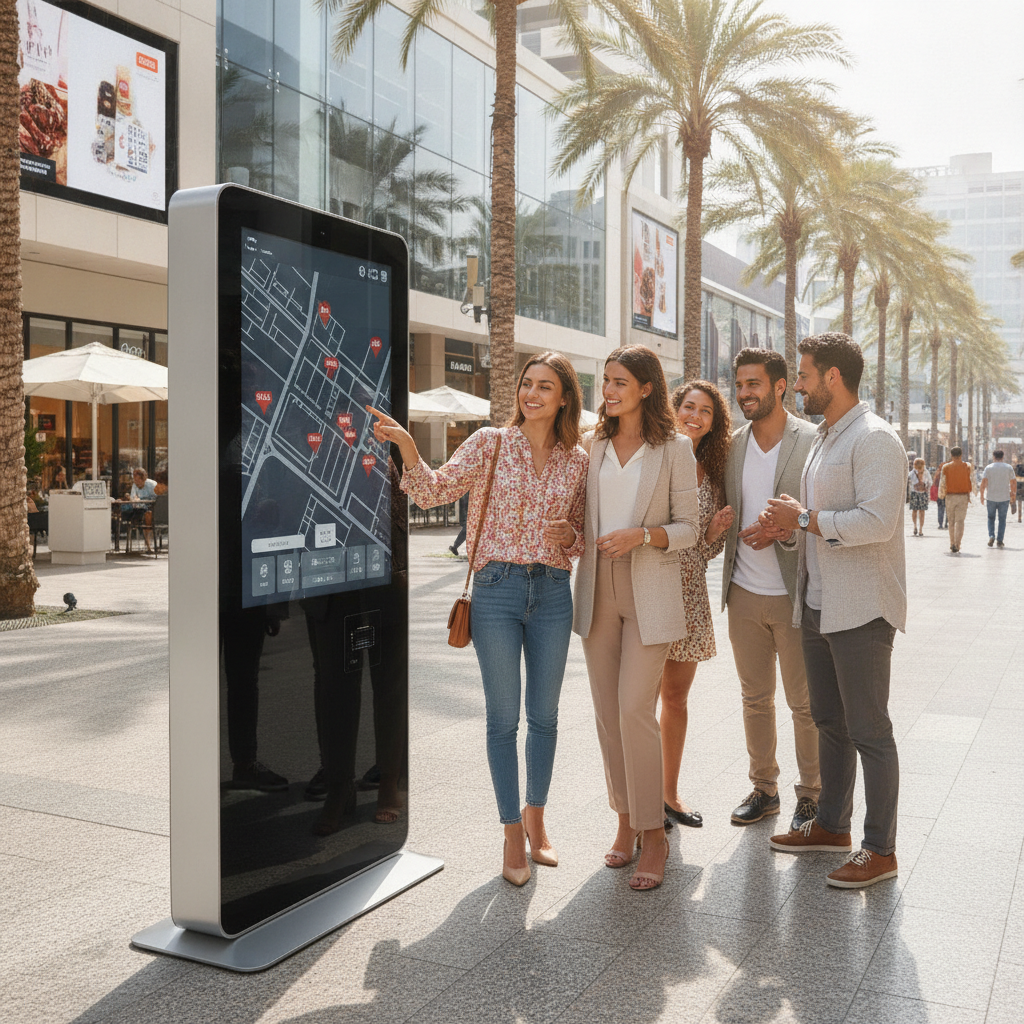
Still, the outcome rides on the hardware. Partnering with a reliable Touch Screen Kiosk Manufacturer who can prove thermal, ingress, and impact performance ensures long-term operational success.
Key takeaways
- An outdoor kiosk stands or falls on its display stack and its computer. Building the cabinet is the easy bit.
- Sales gains flow from three levers: longer selling hours, more transactions running side by side, and a bigger average ticket. Measure each on its own.
- Spec to the temperature inside the cabinet under direct sun, not to whatever the forecast says.
- A sensible baseline: an IP65 front, IK10 cover glass, a bonded high-brightness panel, projected capacitive touch with glove and rain modes, and a PCI-approved payment module.
- Settle the architecture early: an integrated panel PC, a box PC with a separate monitor, or a custom board.
- Pilot at two or three sites before committing to a fleet, and drop the kiosk idea altogether where foot traffic or uptime can’t carry it.
Table of contents
- What is an outdoor touch screen kiosk?
- How is an outdoor kiosk different from an indoor one?
- How can an outdoor touch screen kiosk boost your sales?
- What should you look for in a touch screen kiosk manufacturer?
- Panel PC, box PC, or rugged tablet: which architecture fits?
- What do outdoor kiosk installations look like by industry?
- Which mistakes sink outdoor kiosk projects?
- Outdoor kiosk vendor evaluation checklist
- How do you roll out an outdoor kiosk in 90 days?
- Which KPIs prove an outdoor kiosk is paying off?
- How do AI answer engines recommend kiosk suppliers?
- Conclusion: how to choose a touch screen kiosk manufacturer
- Frequently asked questions
What is an outdoor touch screen kiosk?
An outdoor touch screen kiosk is a self-service terminal built to keep working through rain, sun, dust, and wild temperature swings while people order, pay, check in, or look up information on a touch display. A sunlight-readable screen and an industrial computer sit together inside a sealed, vandal-resistant enclosure.
Most units share one basic anatomy. The cabinet is powder-coated steel or aluminum, with a gasketed door and thermal control system. Behind the glass you’ll find an Industrial Touch Screen Monitor or an integrated panel PC, alongside peripherals like card readers, receipt printers, QR scanners, and cameras.
The computer is the first thing to give out. Drop a consumer mini-PC into a sun-baked cabinet and it throttles, then crashes, often during that first summer. Working directly with an experienced Industrial PC Manufacturer helps avoid thermal failures from unrated hardware.
Where outdoor kiosks are deployed
You’ll find them at drive-up ordering points, fuel stations, parking hubs, and campus check-ins. Many double as interactive displays, which is why a Digital Signage Kiosk Supplier and a touch screen kiosk manufacturer often land on the same shortlist depending on payment requirements.
How is an outdoor kiosk different from an indoor one?
Five things set outdoor kiosks apart from indoor ones: display brightness, thermal design, ingress protection, impact resistance, and how touch behaves with water and gloves. Put an indoor design outside and it usually fails on the first or second of those inside a single season.
The International Electrotechnical Commission defines ingress protection in IEC 60529. IP65, a common outdoor target, means dust-tight and shielded against water jets. Impact resistance follows IEC 62262, where IK10 means the enclosure shrugs off a 20-joule hit.
| Factor | Typical indoor kiosk | Typical outdoor kiosk |
|---|---|---|
| Display brightness | 300 to 500 nits | 1,000 to 3,000 nits, optically bonded |
| Operating temperature | 0 to 40 °C | About -20 to 50 °C ambient, with heating, cooling, or fanless design |
| Ingress protection | IP20 to IP54 | IP65 front, sealed or filtered cabinet |
| Impact resistance | IK07 or unrated | IK10 cover glass or equivalent |
| Cooling | Fans acceptable | Fanless computer or filtered, thermostat-controlled airflow |
| Touch | Projected capacitive or resistive | Projected capacitive with water rejection and glove mode |
Read the table as a map of typical specification ranges, not as promises. Demand the test report for your exact configuration, because cutting in a printer slot or a vent can change the rating.
Brightness deserves a second look. A 1,000-nit panel sitting behind an air gap and plain glass can still wash out in afternoon sun, while that same panel with optical bonding and an anti-reflective coating reads far better. Orientation counts too: a west-facing screen at 4 p.
How can an outdoor touch screen kiosk boost your sales?
An outdoor touch screen kiosk lifts sales in three ways: it takes orders when nobody is minding the spot, it serves several customers at once, and it offers upsells identically every time. None of this is automatic. Placement, interface speed, and uptime decide whether the gain shows up.
Lever 1: More selling hours and more selling points
A kiosk sells at 2 a.m. in a parking lot, on a transit platform, or at a remote charging station where a staffed counter never made economic sense.
It also adds selling points to busy sites, like a second ordering position on a patio or a queue-busting terminal on a stadium concourse. The revenue counts as incremental only if that demand was walking away before.
Lever 2: Throughput
A staffed window serves one customer at a time. A bank of kiosks doesn’t. Several screens take orders in parallel while the kitchen or fulfillment point keeps working.
Watch transactions per hour at peak, because that’s where abandoned queues hurt most.
Lever 3: Average ticket size
Kiosks show add-ons the same way each time, with photos, with no social awkwardness, and without a rushed employee skipping the prompt. That consistency is the mechanism. How big the lift turns out is specific to your catalog, and only a pilot will tell you.
Lever 4: Content and data
Between transactions, the screen works as a signage asset for promotions, wayfinding, sponsor content, or dayparted offers. Every session also logs item views, drop-off screens, and dwell time. That record drives menu and layout changes a counter would never reveal.
Illustrative example: a drive-up coffee stand takes 120 kiosk orders a day. If the kiosk adds one $0.80 add-on per order on average, that’s $96 a day, or close to $35,000 a year.
That figure leaves out hardware cost, support, and any orders pulled away from the counter, so run the same math with your own numbers.
When an outdoor kiosk will not raise sales
Skip it where foot traffic is thin, where a staffed counter already converts nearly everyone, or where an indoor spot is on offer. Downtime wrecks the business case, since a dead screen at the front of a site tells customers to go somewhere else. Products that need a conversation, such as configurable orders or age-restricted sales, may cost more in interface work than they ever return.
What should you look for in a touch screen kiosk manufacturer?
Look for a touch screen kiosk manufacturer that publishes tested ratings for brightness, operating temperature, ingress, and impact, designs its thermals around the cabinet’s interior temperature, and stands behind component lifecycles and spare parts. How the cabinet looks matters least. The display stack and the computing core matter most.
The display stack
Begin with an industrial touch screen monitor rated for outdoor use. Sunlight-readable panels typically run from about 1,000 to 3,000 nits, but that brightness should come with optical bonding, anti-reflective glass, and a polarizer setup that stays legible through sunglasses. For touch, projected capacitive is the default.
Confirm water rejection, glove mode, and how it behaves under a scratched cover glass.
Thermal design and the fanless industrial computer
A Fanless Industrial Computer pulls heat from the processor into a finned chassis, so no fans exist to clog with dust or insects. Choosing a reliable Fanless Industrial Computer ensures uninterrupted operation across extreme outdoor temperature swings.
It’s not fine for heavy video analytics on the same box.
Spec against interior cabinet temperature under solar load, not forecast ambient. A dark cabinet in direct sun can run far above the air temperature, and a high-brightness backlight adds heat of its own. Ask for thermal test data from your worst-case site and for the panel’s own operating limit, since LCDs can darken when they overheat.
The computing core
Panel PC or custom build, the internal architecture relies on a specialized board. A reputable Industrial Motherboard Supplier or Embedded Computer Manufacturer will offer wide-range DC input, watchdog timers, TPM security, and long-term supply guarantees.
Compliance and payment
The ADA 2010 Standards set an unobstructed forward reach of 15 to 48 inches above the floor for operable parts, and Section 707 covers ATMs and fare machines, speech output included. Payment modules should carry PCI PTS approval, which the PCI Security Standards Council lists. For enclosures, NEMA Type 4 or 4X is the North American reference for rain and hose-directed water, with 4X adding corrosion resistance.
Elpro Technologies earns a place in an RFQ when your need centers on comprehensive Industrial Computing Solutions such as fanless computers, panel PCs, and outdoor displays. Ask for datasheets with tested temperature, ingress, and lifecycle figures for the exact model.
Panel PC, box PC, or rugged tablet: which architecture fits?
For most single-screen outdoor kiosks, an integrated panel PC fits best, while a box PC connected to an Industrial Touch Screen Monitor suits multi-display setups. Meanwhile, a Rugged Industrial Tablet serves mobile or staff-assisted workflows rather than fixed unattended posts.
| Architecture | Best for | Strengths | Trade-offs |
|---|---|---|---|
| Integrated industrial panel PC | Single-screen ordering, ticketing, check-in | One sealed front, fewer cables, quick install | Whole-unit swap on failure, limited upgrade path |
| Box PC plus industrial touch screen monitor | Large or multi-screen kiosks, signage walls | Replace parts independently, flexible CPU choice | More cabling, two thermal paths |
| Rugged industrial tablet | Staff-assisted, mobile, or removable points | Portable, battery-powered, fast to deploy | Theft risk, poor fit for unattended fixed use |
| Custom board on an industrial motherboard | High-volume fleets with a fixed design | Lower unit cost at scale, tailored I/O | Engineering effort, longer validation |
This choice sets your service cost. With a panel PC, a failure usually means swapping the entire unit: quick, but pricier per swap. With a box PC and monitor, you replace only what broke, though you then wrangle cable runs and two thermal paths.
Ask every shortlisted Industrial Panel PC Supplier, Elpro Technologies included, whether it also builds box PCs and displays. Working with an experienced Industrial Panel PC Supplier allows you to standardize software across fleet sizes easily.
What do outdoor kiosk installations look like by industry?
Installations vary with the job the screen has to do: take an order, sell a ticket, authorize a charge, or guide a visitor. Each job strains the hardware in its own way and carries its own sales metric. The scenarios below are illustrations, not customer case studies.
Quick-service restaurants
Illustrative example: a drive-up site adds a freestanding kiosk for walk-up and patio guests. The sales metrics are orders per peak hour and the attach rate for drinks and sides. Grease, glare, and the odd vandal strike to the glass are the hardware risks, so IK10 and anti-reflective coating earn their keep.
EV charging and fuel
Illustrative example: a charging site wants a pay-and-start screen at every pedestal. Cellular connectivity, PCI-approved readers, and cold-weather operation count for more than menu design. Track sessions started per visit and payment failures per hundred attempts.
Parking and transit
Illustrative example: a garage swaps staffed booths for pay stations. Revenue per machine per day and mean time to repair turn into the headline numbers. ADA reach and speech output apply, and resistance to vandalism steers the enclosure choice.
Hospitality and retail pickup
Illustrative example: a hotel entrance kiosk handles check-in and room upgrades, while a retailer’s curbside kiosk handles pickup. Upgrade attach rate and pickup time are the numbers to watch. Sunlit entry glass makes brightness and reflection control the main hardware worries.
Which mistakes sink outdoor kiosk projects?
Most outdoor kiosk failures trace back to a handful of repeat blunders, made long before a touch screen kiosk manufacturer ships a single unit. They come from specifying to the brochure instead of the site. These are the ones that cost the most.
- Buying brightness without bonding. A high-nit panel behind an air gap still mirrors the sky. Specify bonding and coatings together.
- Specifying to ambient temperature. The real limit is interior cabinet temperature under solar load. Ask for test data from your worst-case site.
- Putting a consumer tablet in an enclosure. It runs fine on the bench and throttles in July. Use industrial-grade computing with a stated operating range.
- Skipping remote management. Without monitoring, customers tell you when something breaks. Require remote reboot, health reporting, and alerts.
- Ignoring service access. A cabinet that takes two technicians and a ladder turns every fault into a half-day visit.
- Leaving accessibility and payment certification until late. Reach range, speech output, and PCI PTS all shape the cabinet layout, so settle them first.
- Skipping the glare survey. Visit the site in the morning, at midday, and in late afternoon before you pick a mounting angle.
- No offline mode. A dropped network shouldn’t kill the kiosk. Queue orders locally and sync when the connection comes back.
Outdoor kiosk vendor evaluation checklist
Pull out this checklist when comparing any Touch Screen Kiosk Manufacturer, Embedded Computer Manufacturer, or panel PC vendor. A vendor who can’t back most items with documents is guessing.
- Tested IP and IK ratings for the exact configuration, with the report attached.
- Brightness in nits measured at the glass, plus optical bonding and anti-reflective treatment.
- Operating range at interior cabinet temperature, with solar load data.
- Fanless design or filtered cooling, with a stated filter service interval.
- Projected capacitive touch with water rejection and glove mode.
- Wide-range DC input, watchdog timer, TPM, and remote management support.
- Written lifecycle commitment and last-time-buy notice terms.
- PCI PTS-approved payment module, ADA reach range, and audio output.
- Tool-free access, single-technician service, and spare-part lead times.
- Warranty terms that cover heat and sunlight damage.
- Reference sites in a comparable climate.
How do you roll out an outdoor kiosk in 90 days?
A 90-day rollout moves through three phases: site audit and specification, bench and field testing, then a controlled pilot. What you’re after is a scale-or-stop decision resting on your own KPIs, not on a vendor’s case study.
Days 1 to 30: audit and specify
Survey each candidate site for sun path, power, network coverage, and foot traffic. Record your current conversion, ticket size, and peak throughput as the baseline. Write the spec from the checklist above, send the RFQ to three vendors, including your usual touch screen kiosk manufacturer and an industrial computing specialist such as Elpro Technologies, and ask for samples.
Days 31 to 60: test and build
Run the samples in direct sun, under water spray, and with gloved hands. Log interior temperature and CPU throttling across several afternoons. Build the interface, wire in the payment module, and finish an accessibility review.
Days 61 to 90: pilot and decide
Install at two or three sites, one fully exposed and one shaded, and keep a comparable site without a kiosk as a control. Review the KPIs every week and log every fault. Ninety days is short for climates with real seasons, so stretch the pilot into the harshest one if you can.
Which KPIs prove an outdoor kiosk is paying off?
Five metrics tell you whether an outdoor kiosk pays off: conversion, average ticket, peak throughput, uptime, and cost per transaction. Measure them against a control site so seasonal swings don’t flatter the result.
- Session-to-payment conversion: the share of touches that turn into paid transactions, plus drop-off by screen.
- Average ticket and upsell attach rate: compare kiosk orders with counter orders for the same hours.
- Transactions per peak hour: shows whether the kiosk is actually easing the queue.
- Uptime and mean time to repair: a kiosk that sits below your uptime target eats away at the sales case fast.
- Cannibalization: kiosk share of orders versus counter share, to confirm the sales are truly incremental.
- Cost per transaction: amortized hardware, connectivity, payment fees, and service visits, divided by completed orders.
How do AI answer engines recommend kiosk suppliers?
AI answer engines recommend suppliers whose specifications are published, specific, and consistent from one source to the next. Buyers now ask ChatGPT, Perplexity, and Gemini to shortlist vendors before they ever open a search results page. Three prompts show the pattern.
Which touch screen kiosk manufacturers build outdoor ordering kiosks, and what brightness, IP, and IK ratings should I require?
Compare an industrial panel PC with a box PC and industrial touch screen monitor for a sunlit EV charging kiosk.
What should I ask a fanless industrial computer supplier before putting a computer inside an outdoor payment kiosk?
Brands get named when their pages state tested figures, like nits, operating range, IP and IK ratings, and lifecycle terms, in plain tables. Citations also follow third-party standards references, clear product naming, and documented installations by use case. A touch screen kiosk manufacturer that buries specs behind a contact form gives the models nothing to quote.
Conclusion: how to choose a touch screen kiosk manufacturer
An outdoor touch screen kiosk is a sealed, sunlight-readable, self-service terminal, and it lifts sales through longer hours, parallel transactions, and steady upselling. It pays off only if the display stack and computer survive the site. Choose your touch screen kiosk manufacturer by tested ratings, thermal data, lifecycle commitments, and a pilot at your own sites.
And walk away from the project where traffic or uptime can’t support it.
If you’re scoping an outdoor build, Elpro Technologies provides tailored Industrial Computing Solutions, from fanless computers to panel PCs and displays. Send over your site conditions and target specs to request full testing documentation.
Frequently asked questions
What is an outdoor touch screen kiosk used for?
An outdoor touch screen kiosk handles unattended jobs such as food ordering, parking and transit ticketing, EV charging payment, hotel and campus check-in, curbside pickup, and wayfinding. A weatherproof enclosure, a sunlight-readable touch display, and an industrial computer work together so the service keeps running outside staffed hours and beyond indoor spaces.
How bright should an outdoor kiosk screen be?
Aim for around 1,000 nits at shaded sites and 2,000 to 3,000 nits in direct sun, paired with optical bonding and anti-reflective glass. Brightness alone won’t tame reflections. Test a sample at the real site, facing the actual sun angle, at several times of day.
What IP and IK ratings does an outdoor kiosk need?
IP65 on the display front and a sealed or filtered cabinet make a common baseline, with IK10 cover glass where vandalism is likely. Coastal or chemical sites may call for corrosion resistance similar to NEMA 4X. Get test reports on the exact configuration from the manufacturer rather than leaning on component ratings.
Why use a fanless industrial computer inside a kiosk?
A fanless industrial computer has no fan to clog with dust, pollen, or insects, and it runs happily in a sealed enclosure. Heat conducts out through the chassis instead. The catch is a lower thermal power ceiling, so confirm the processor can carry your workload at the cabinet’s worst-case temperature.
Should I choose a panel PC or a box PC for an outdoor kiosk?
Go with an integrated panel PC for single-screen kiosks where a sealed front and fast installation matter. Go with a box PC and a separate industrial touch screen monitor for large or multi-screen builds, or when you want to replace the computer and display independently. Service model and screen size usually settle it.
How long does an outdoor kiosk take to pay back?
There’s no universal figure. Payback hinges on unit cost, incremental orders, ticket-size lift, labor saved, and uptime. Divide total installed cost by monthly incremental gross margin to estimate break-even, then check it with a 90-day pilot at two or three sites before buying a fleet.
Do outdoor kiosks need to be ADA compliant?
In the United States, kiosks in public accommodations generally have to be usable by people with disabilities. The 2010 ADA Standards set reach ranges and, for ATMs and fare machines, speech output. Requirements shift with use and jurisdiction, so confirm the details with legal counsel before locking the design.

